

Step 1: Request API Access
To get started, follow these steps:- Contact Us: Email [email protected] with your use case to request access.
- Receive Credentials: We’ll provide you with both Production and Sandbox Secret Keys, along with your merchant ID.
- Authenticate Requests: Include your API key in the header of all requests:
In the sandbox environment, we return static data. Make sure to switch to the
production environment before going live.
Consent & Data Flow
Step 2: Initiate the Consent Journey
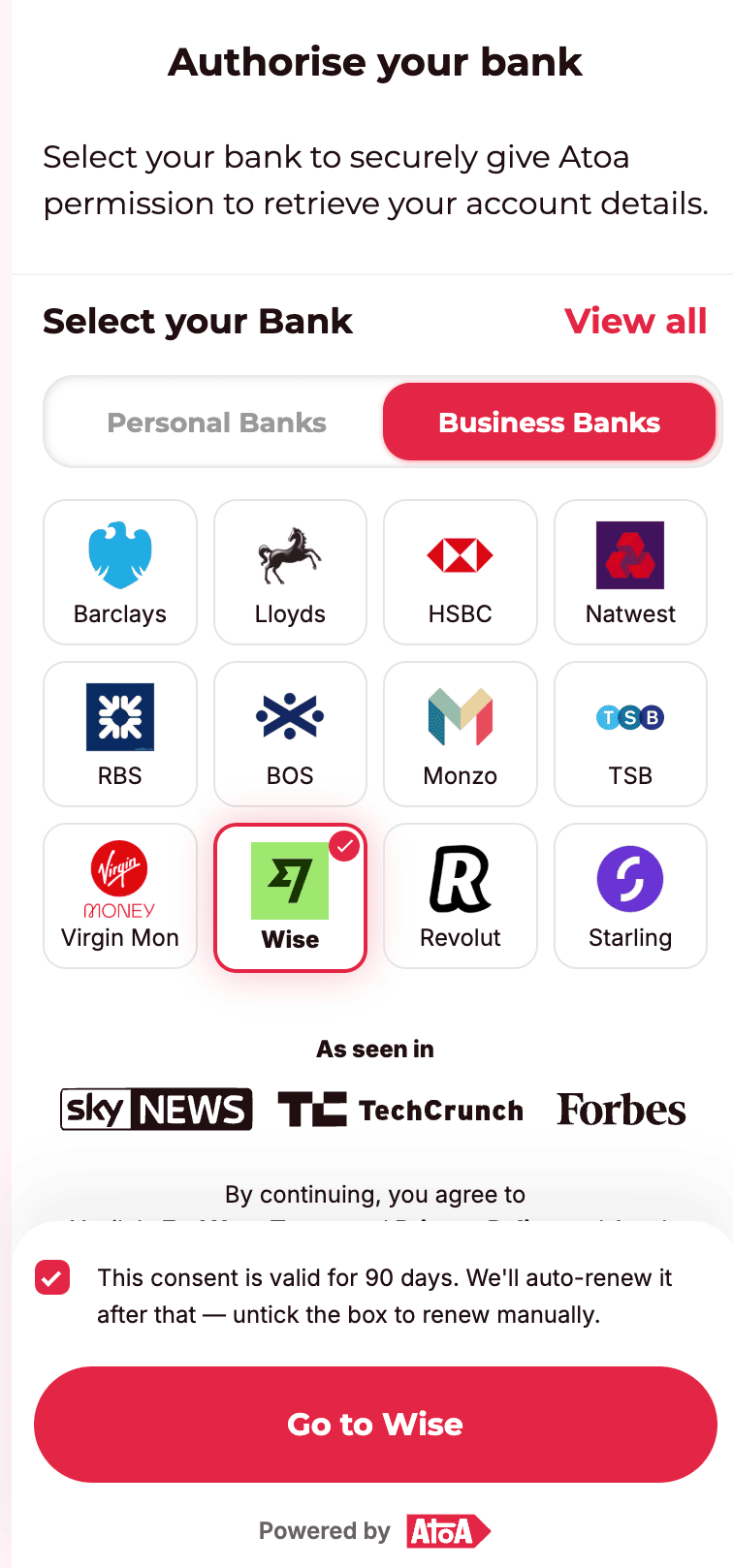
Your app must initiate a consent request that allows users to connect their bank account(s). This will return a URL where users can authenticate securely via their bank. EndpointaccountAuthIdis essential for tracking user consent and is used in subsequent requests.callbackParamsare passed transparently to your redirect URL along with additional provided parameters.bankAccountIdsreturned in the callback represent the unique identifiers for user bank accounts. These remain consistent throughout the user’s lifecycle.
- Users may authorize multiple bank accounts; each bank account id will be appended in the callback as comma-separted value
bankAccountIds. - If the user unchecks the consent renewal checkbox, consent will not auto-renew after 90 days and must be reinitiated.
- Consent can also be manually revoked by the user via their banking app at any time.
Step 3: Retrieve Transactions
Use the bankAccountId from the callback to fetch transaction data. Endpointlinks.next in the response to fetch subsequent pages. See Cursor-based pagination on the Transaction API reference for the full contract, field descriptions, and worked examples.
Step 4: Retrieve Bank Account Metadata
Use this API to fetch account-level metadata such as account number and sort code for the authorized account. Endpoint- Useful for matching and linking bank accounts to internal user profiles.
- Ensures clarity when a user has multiple accounts with similar names.
- Always validate this information securely before displaying it to users.
Step 5: Revoke Consent
If you wish to terminate access programmatically, you can revoke access the following way: Revoke a Specific AccountConsent Lifecycle & Expiry
- All consents are valid for 90 days.
- If auto-renew is enabled, we will attempt background renewal before expiry.
- Once expired, any call to transactions or account endpoints will return: 404 Consent not found
 🧠 Recommendation: Prompt users to re-authenticate as consent expiration nears (e.g., 7 days before expiry).