Feel free to use the Figma file to customize and make any necessary
adjustments.
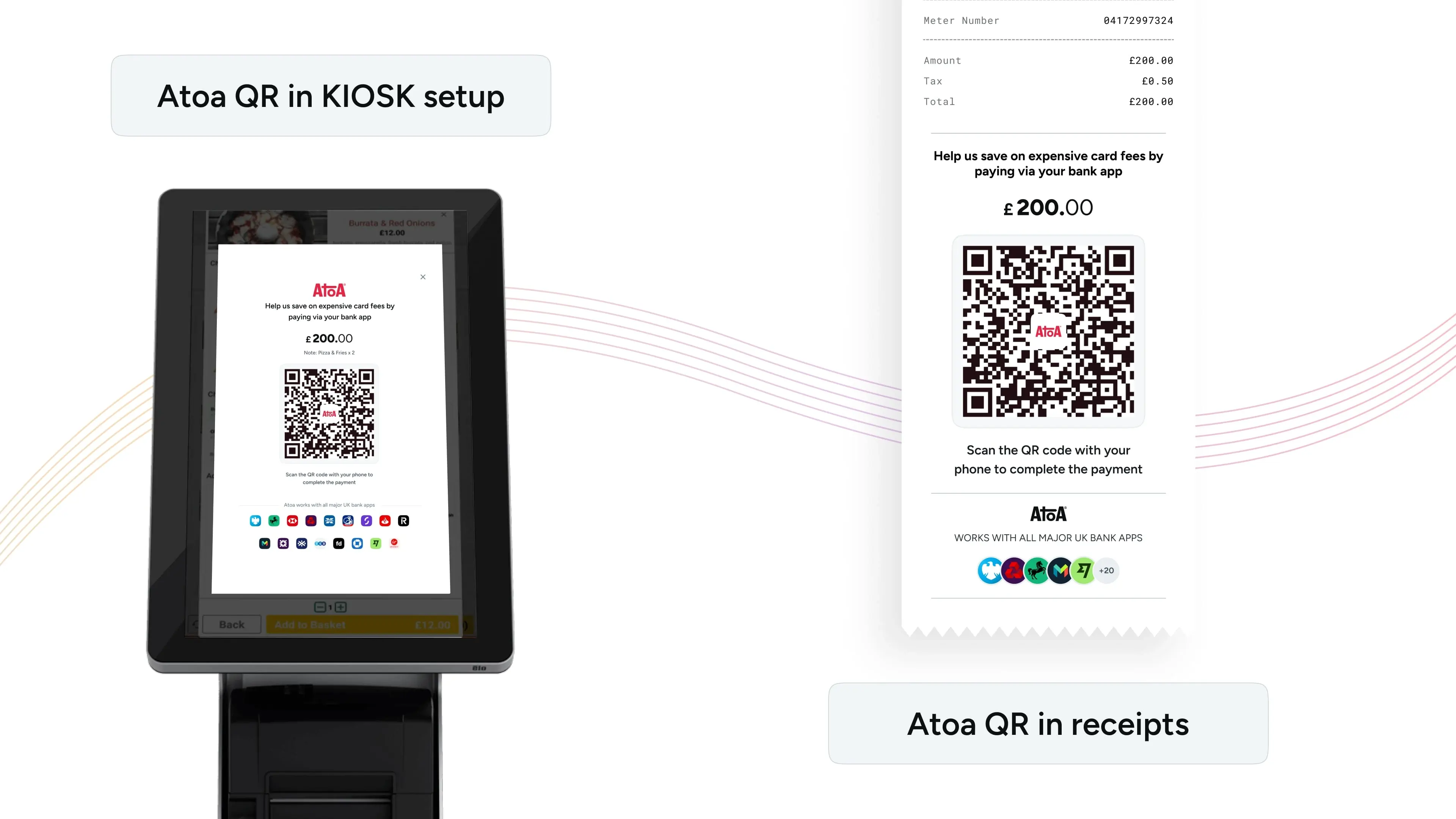 Till Screen: Display Atoa’s QR code directly on your kiosk or till screen to let customers scan and pay easily. This is ideal for self-serve restaurants with kiosk setups, or if your till features a customer-facing display.
Invoice Receipts: Add Atoa’s dynamic QR code to invoice receipts for a smooth payment process. This method is particularly effective in restaurants, giving customers more time to pay without waiting for staff.
Buttons in the Payment flow
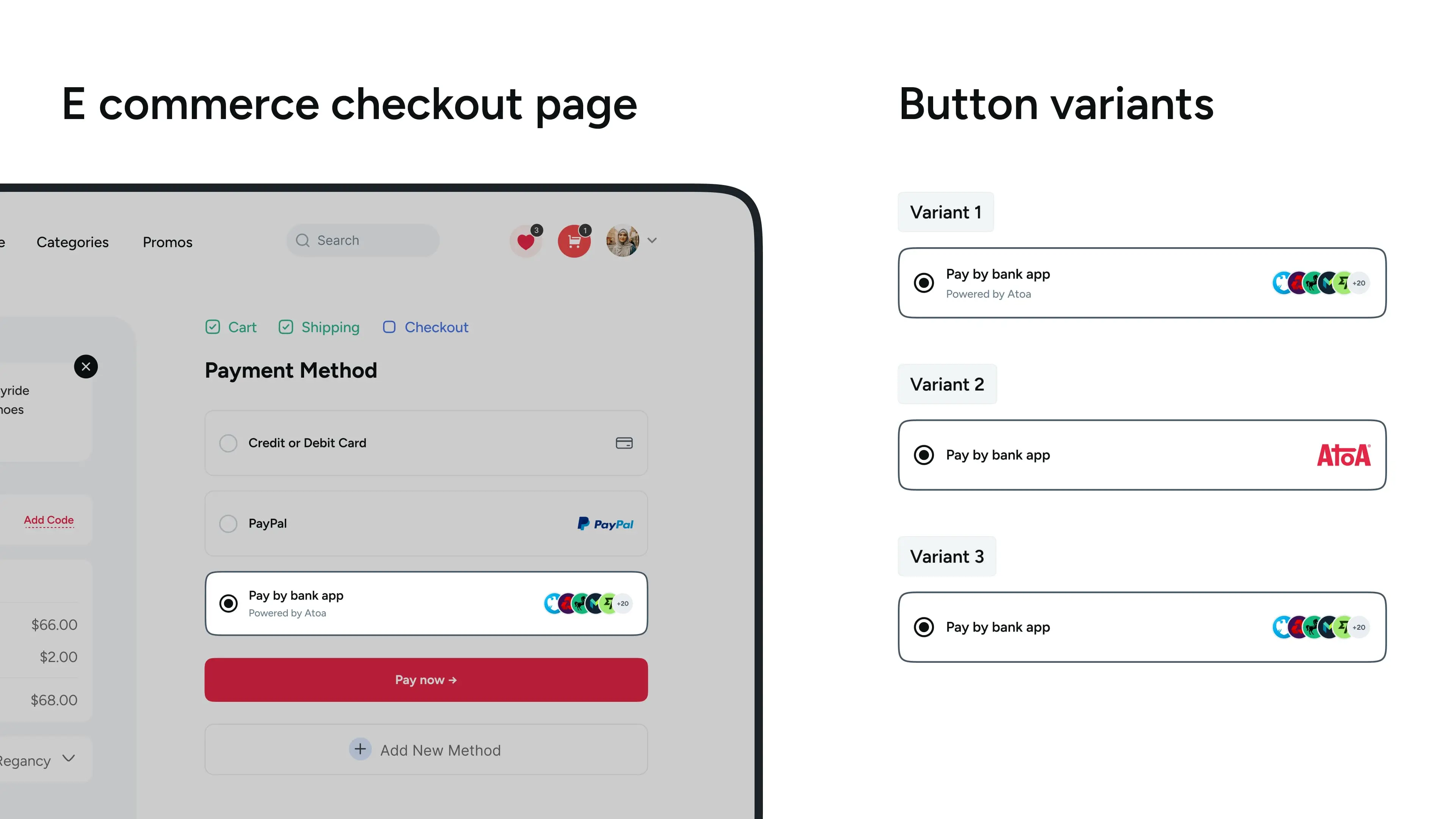
To add Atoa as a payment option to your system, we provide a set of assets designed for seamless integration and to align with Atoa’s branding and user interface guidelines. You’ll find these ready-to-use assets below, ready for implementation into your payment gateway or web integrations.
Till Screen: Display Atoa’s QR code directly on your kiosk or till screen to let customers scan and pay easily. This is ideal for self-serve restaurants with kiosk setups, or if your till features a customer-facing display.
Invoice Receipts: Add Atoa’s dynamic QR code to invoice receipts for a smooth payment process. This method is particularly effective in restaurants, giving customers more time to pay without waiting for staff.
Buttons in the Payment flow
To add Atoa as a payment option to your system, we provide a set of assets designed for seamless integration and to align with Atoa’s branding and user interface guidelines. You’ll find these ready-to-use assets below, ready for implementation into your payment gateway or web integrations.